 🔄 Updated 13 days ago
WorkDesk: remote access to company computers — similar to AnyDesk and TeamViewer on your own server
🌐 Machine-translated from Russian. Show original
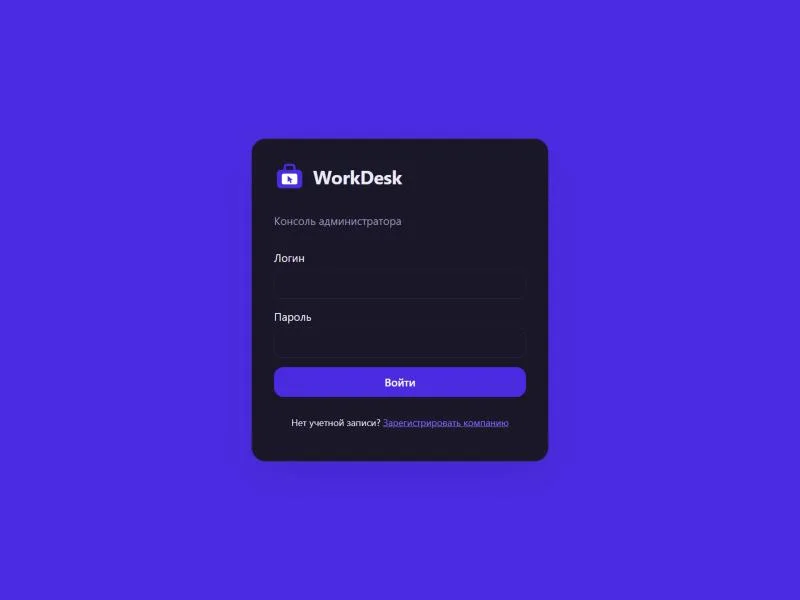
WorkDesk — remote access to company computers and remote user support, like in AnyDesk or TeamViewer, only all connections go through your server, not through third-party service servers. The administrator sees all devices and connections in one web console. At its core is the open RustDesk 1.5.1 (AGPL-3.0); branding, built-in settings, and console are their own.
| Link | |
|---|---|
| 🌐 | WorkDesk website — features, questions, company connection |
| ⬇️ | Download — Windows, Linux, Android, all versions and checksums |
| 🌐 | Client in browser — connection without installing the program [ |
| 🧑 💻 | Client source code |
In this part:
What's new#
What's new (November 2026):
- 🔄 "Check for updates" — WorkDesk programs now have a new version check: the program compares its build with the last one on the server and opens the download page. Previously released builds must be updated manually once.
- 📱 The console and website are more convenient on the phone: spreadsheets are displayed as cards, buttons have become larger.
- 🪟 Windows: the EXE program runs without installation and can be installed from the program's own menu.
Earlier in November:
- 🔑 Login via Google, Microsoft, and Yandex ID — in the web console and WorkDesk programs (the login window opens in the system browser). First, log in with a password and link your account in the "Profile" section; then you can log in through it. There is no registration through the provider or email matching login — otherwise, someone else's account cannot be hijacked.
- 👤 Employees also log into the console: they have access to "Profile" and "Notifications," and admin sections are closed.
- 🐧 Linux: DEB and RPM packages (including openSUSE) for x86_64 and ARM (aarch64) — connection to and from a computer, just like on Windows.
- 🌐 The website workdesk.itgov.kz in Russian, Kazakh, and English: features, security, questions, and download page.
- Earlier this month: Android client, browser client, and Telegram notifications via the @workdeskinfobot bot.
For whom#
- IT departments and support — connecting to employees' workplaces, assisting users, server maintenance.
- Companies with branches — computers in different offices and remote employees in one list.
- IT outsourcing — multiple client companies on one server: each has its own employees, devices, and log.
How is it different from AnyDesk and TeamViewer#
| Third-party cloud service | WorkDesk |
|---|---|
| Connections go through vendor servers | Connections go through your WorkDesk server |
| Each employee sets up the program themselves | The server address and key are built into the program — all that remains is to log in with their |
| Closed Source | Open Source: WorkDesk is based on RustDesk (AGPL-3.0) |
| Who and when connected — visible only in the vendor's account | Your own web console: devices, log, users, and companies under your management |
What it consists of#
- Server — official
rustdesk-server1.1.14:hbbs(computer registration and search) andhbbr(repeater if direct connection fails). Installed by Docker Compose or systemd services. - WorkDesk Console is a proprietary Node.js development with built-in SQLite: API for clients and a web admin console.
- WorkDesk clients — RustDesk 1.5.1 with built-in server address and key, name, and icons:
- Windows — MSI installer (convenient to distribute via GPO) and an EXE program that works without installation;
- Linux — DEB and RPM packages for x86_64 and aarch64;
- Android — an APK, including for older phones; the phone can only connect to other devices;
- Browser — a client without installing a program.
What he can do#
- 🖥️ Remote desktop: mouse and keyboard, file transfer, clipboard, chat, multiple monitors.
- 💻 Web console: device list and online status, connection log with CSV export, users, and shared address books.
- 🏢 Companies and roles: server administrator, company administrators, and employees. Companies are registered upon request, employees via an invitation link.
- 👤 Active Directory login: employees sign in under a domain account, permissions are set by AD groups.
- 🔑 Signing in via Google, Microsoft, and Yandex ID: binding in "Profile," then signing into the console and program with a single button; linking does not change the company or user rights.
- 🔔 Notifications in Telegram: whether the device is online or offline, logging in from a new device, new and remote devices, updates.
- 🔄 Updates: the program automatically checks the new version via the "Check for updates" button.
Security#
- End-to-end session encryption between computers; the server key is checked every time you connect.
- Connection — by device password or with confirmation on a remote computer.
- Login via Google, Microsoft, and Yandex ID is only with a pre-linked account; a blocked company or disabled account will not be logged in through the provider.
- The console and clients operate over HTTPS, and console data is stored on your server.
- The mobile app only connects to other devices — you cannot connect to the phone.
How to connect a company#
- Submit an application on the registration page — after approval, you will become a company administrator.
- Invite employees via the link or create accounts in the console.
- Employees install WorkDesk and log into the program — computers appear in the console.
Connection terms are discussed individually — write to info@worktime.kz.
Frequently Asked Questions#
How is WorkDesk different from RustDesk? This is a RustDesk build with a built-in server, its own brand, and a web console for companies: AD login, companies, connection log, notifications.
On which devices does it work? Windows and Linux — connection in both directions. Android — only connections to other devices. There is a client in the browser.
Do you need a white IP or VPN? No. Computers connect to the WorkDesk server via the internet; if a direct connection is not possible, traffic goes through the repeater.
Is it possible to install my own server? Yes. The server package and instructions are available in the console, and the client's source code is open.
Status: pilot#
- ✅ Console, company registration, login via Google, Microsoft, and Yandex ID, and Telegram notifications work on workdesk.itgov.kz.
- ✅ Clients for Windows, Linux, and Android are assembled and available for download; the client connects to the server in the browser.
- ⏳ Piloting on real company computers and login through real Active Directory has not yet been conducted.
- ⏳ The Windows installer is still without a digital signature — SmartScreen will alert you on the first launch.
🙋 Looking for companies for a pilot — 5–50 computers, have your own admin, want to move away from AnyDesk or TeamViewer. Connect the company or write in the comments: what park you have, whether you have AD, what you are currently using.
Comments · 0
No comments yet.Sign in to comment, rate and see all comments.